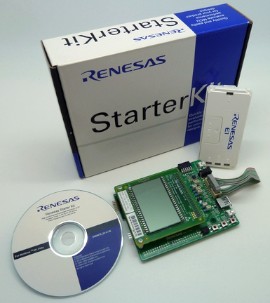
Three projects are provided:
All three projects include build options that allow the creation of a simple blinky demo or a comprehensive demo, and target the RX113 RSK (Renesas Start Kit) evaluation board. The comprehensive demo includes a command line interface implemented with FreeRTOS+CLI.
See also the FAQ My application does not run, what could be wrong?
The IAR project is called RTOSDemo.eww, and is located in the /FreeRTOS/Demo/RX100_RX113-RSK_GCC_e2studio_IAR directory.
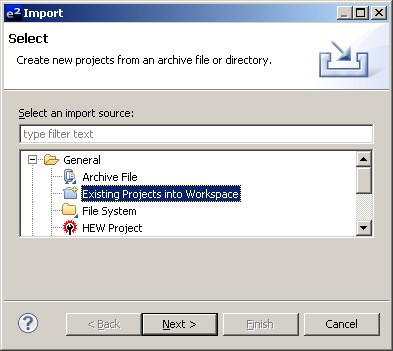
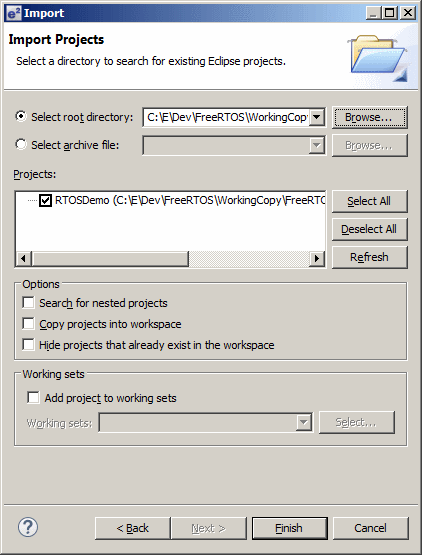
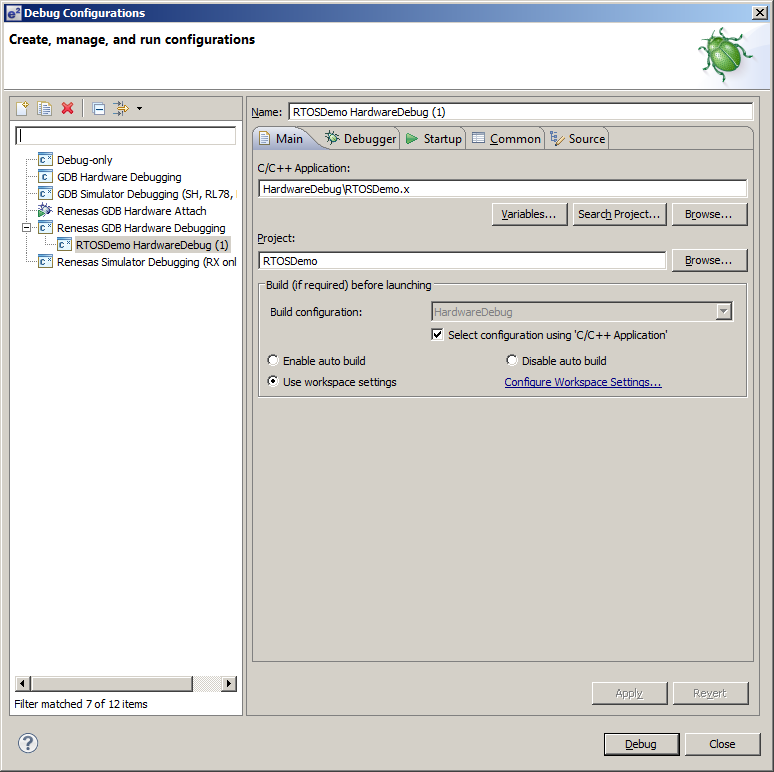
The e2studio projects have the usual Eclipse project name .project. The project that uses the GCC compiler is also located in the /FreeRTOS/Demo/RX100_RX113-RSK_GCC_e2studio_IAR directory, and the project that uses the Renesas compiler is located in the /FreeRTOS/Demo/RX100_RX113-RSK_Renesas_e2studio directory. These are the directories that must be selected when importing the projects into the e2studio Eclipse workspace.
The demos use an LED and the UART to USB converter built onto the RSK development board, so no hardware set up is required.
|
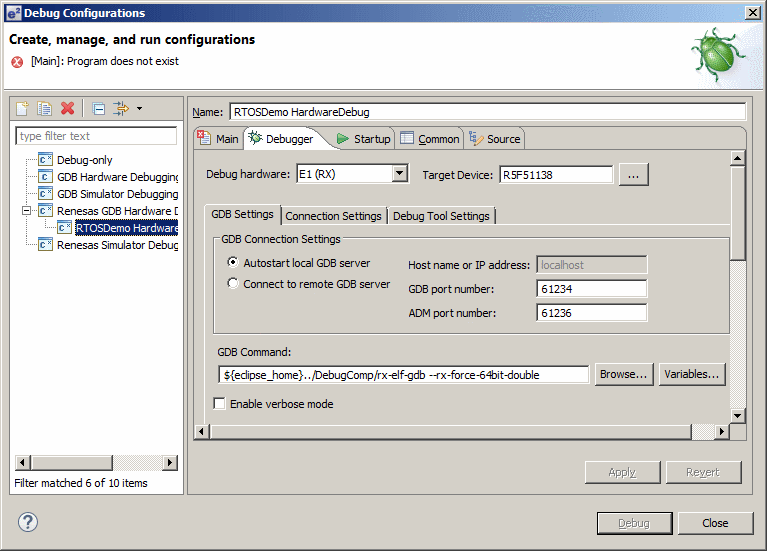
|
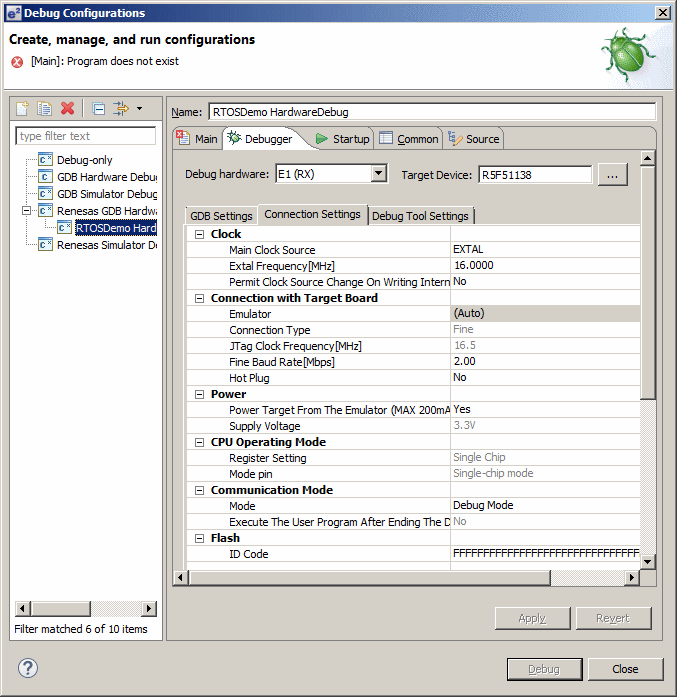
|
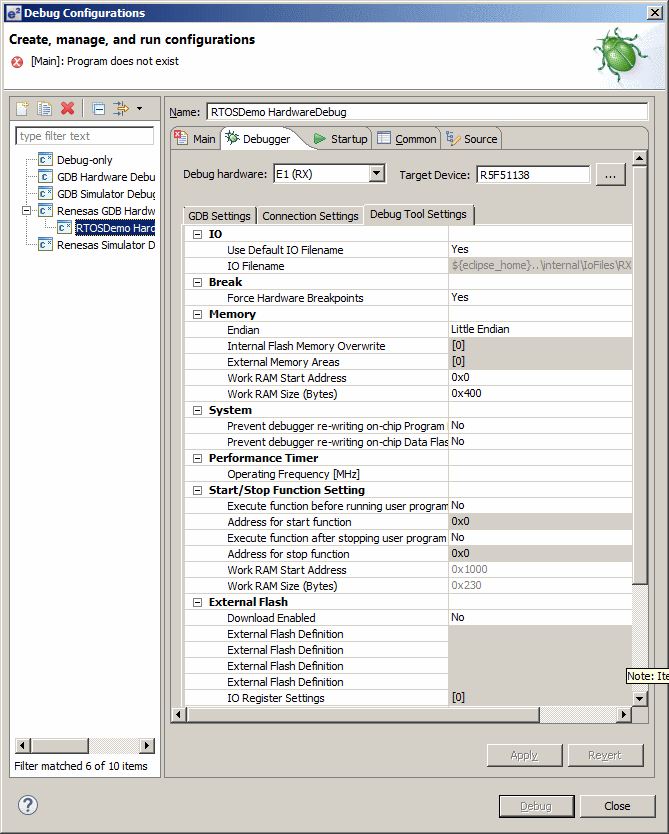
|
main_blinky() creates an RTOS queue, a queue send task, and a queue receive task, then starts the scheduler.
The queue send task is implemented by the prvQueueSendTask() function in main_blinky.c.
prvQueueSendTask() sends the value 100 to the RTOS queue every 200 milliseconds.
The queue receive task is implemented by the prvQueueReceiveTask() function in main_blinky.c.
prvQueueReceiveTask() blocks to wait for data to arrive on the RTOS queue. Each time the value 100 is received from the queue it toggles LED 0. As data is sent to the queue every 200ms, the LED will toggle every 200ms.
 The comprehensive example is created when mainCREATE_SIMPLE_BLINKY_DEMO_ONLY is set
to 0 in main.c. When this is done, main() calls main_full():
The comprehensive example is created when mainCREATE_SIMPLE_BLINKY_DEMO_ONLY is set
to 0 in main.c. When this is done, main() calls main_full():
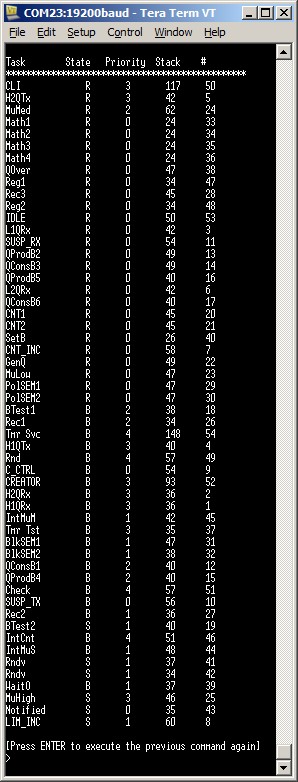
main_full() creates a set of standard demo tasks, some application specific test tasks, a command line interface (CLI) task, a pseudo randomiser task, and then starts the scheduler. The pseudo randomiser task is just used to ensure some variation is added to the sequence in which the test tasks execute, and in so doing, improve the test coverage.
The CLI is implemented using the FreeRTOS+CLI extensible command line interface, and uses SCI1 at 19200 baud for its input and output. As always with FreeRTOS+CLI, type "help" to see a list of registered commands.
The reg test tasks test the context switching mechanism by filling each MCU register with a known value, then continuously checking that each register maintains its expected value for the lifetime of the task.
The "Check" task monitors the status of all the other tasks in the system, looking for a task either stalling, or reporting an error. It toggles LED 0 each time it iterates around its implementing loop.
If the LED is toggling every three seconds then the check task has not detected any stalled tasks, or detected any errors. If the LED is toggling every 200ms then at least one error has been found.
This sets the frequency of the RTOS tick. The supplied value of 1KHz is useful for testing the RTOS kernel functionality but is faster than most applications need. Lowering this frequency will improve efficiency.
This defines the interrupt priority used by the RTOS kernel for the RTOS tick timer and software interrupts. This should always be set to the lowest interrupt priority, which is 1 for the RX113. See the configuration pages for more information.
This defines the maximum interrupt priority from which RTOS API functions can be called. Interrupts at or below this priority can call FreeRTOS API functions provided that the API function ends in 'FromISR'. Interrupts above this priority cannot call any FreeRTOS API functions but will not be effected by anything the RTOS kernel is doing. This makes them suitable for functionality that requires very high temporal accuracy (motor control for example).
Often an ISR wants to cause a context switch so the task that is returned to when the ISR completes is different to the task that the ISR originally interrupted. This would be the case if the ISR caused a task to unblock, and the unblocked task had a priority above that of the task that was already in the Running state. This can be achieved by calling portYIELD_FROM_ISR(), which takes a single parameter. The parameter must be 0 if a context switch is not required, or non-zero if a context switch is required. portYIELD_FROM_ISR() is used in the examples below.
/* Pragma used to install the interrupt.  The 'enable' used in the pragma
tells the compiler to enable interrupts before executing the user code. */
#pragma interrupt ( Excep_PERIB_INTB128( vect = 128, enable ) )

/* Function definition. */
void Excep_PERIB_INTB128( void )
{
long lHigherPriorityTaskWoken;

    /* Interrupts are already enabled here.  See comment above. */

    /* vTaskNotifyGiveFromISR() is an interrupt safe FreeRTOS function.  It is
    assumed the task handle has already been stored.  If notifying the task
    unblocks the task, and the task that is unblocked has a priority above the
    priority of the currently executing task, then the lHigherPriorityTaskWoken
    parameter will get set to pdTRUE inside the vTaskNotifyGiveFromISR()
    function. */
    vTaskNotifyGiveFromISR( xTask, &lHigherPriorityTaskWoken );
    portYIELD_FROM_ISR( lHigherPriorityTaskWoken );
}
An example interrupt service routine using the Renesas compiler syntax
|
/* Pragma used to install the interrupt.  */
#pragma vector = VECT_TMR0_CMIA0

/* Function definition. */
__interrupt void vT0_1_InterruptHandler( void )
{
long lHigherPriorityTaskWoken;

    /* Unlike when using the Renesas compiler, interrupts must be explicitly
    re-enabled inside the interrupt service routine. */
    __enable_interrupt();

    /* vTaskNotifyGiveFromISR() is an interrupt safe FreeRTOS function.  It is
    assumed the task handle has already been stored.  If notifying the task
    unblocks the task, and the task that is unblocked has a priority above the
    priority of the currently executing task, then the lHigherPriorityTaskWoken
    parameter will get set to pdTRUE inside the vTaskNotifyGiveFromISR()
    function. */
    vTaskNotifyGiveFromISR( xTask, &lHigherPriorityTaskWoken );
    portYIELD_FROM_ISR( lHigherPriorityTaskWoken );
}
An example interrupt service routine using the IAR compiler syntax
|
/* The function prototype uses the interrupt attribute.  The then function
must be manually inserted into the interrupt vector table. */
static void vT0_1_InterruptHandler( void ) __attribute__((interrupt));

/* Function definition. */
void Excep_PERIB_INTB128( void )
{
long lHigherPriorityTaskWoken;

    /* Unlike when using the Renesas compiler, interrupts must be explicitly
    re-enabled inside the interrupt service routine. */
    __asm volatile( "SETPSW	I" );


    /* vTaskNotifyGiveFromISR() is an interrupt safe FreeRTOS function.  It is
    assumed the task handle has already been stored.  If notifying the task
    unblocks the task, and the task that is unblocked has a priority above the
    priority of the currently executing task, then the lHigherPriorityTaskWoken
    parameter will get set to pdTRUE inside the vTaskNotifyGiveFromISR()
    function. */
    vTaskNotifyGiveFromISR( xTask, &lHigherPriorityTaskWoken );
    portYIELD_FROM_ISR( lHigherPriorityTaskWoken );
}
An example interrupt service routine using the GCC compiler syntax
|
When using the IAR and Renesas compilers the RTOS tick handler is installed simply by defining configTICK_VECTOR to the appropriate vector number in FreeRTOSConfig.h.
When using the GCC compiler the RTOS tick handler and RTOS software interrupt handler must be manually added to the appropriate vectors in the vector table definition. The RTOS tick handler is called vPortTickISR(), and the RTOS software interrupt handler is called vPortSoftwareInterruptISR(). See the source file vector_table.c in the GCC project for an example.
It is suggested that a compare match timer is used to generate the tick interrupt, and an example implementation of vApplicationSetupTimerInterrupt() that uses compare match timer 0 is included in main.c within each RX100 demo application.