FreeRTOS Demo Applications
[Demo Projects]

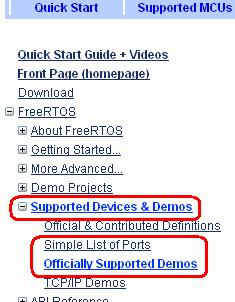
Port documentation pages are grouped by device manufacturer. Expand the list of supported devices, then click the manufacturer of interest to be taken to a list of demo documentation pages.

Introduction

The RTOS source code download includes a demonstration project for each port. The sample projects are preconfigured to execute on the single board computer or prototyping board used during the port development. Each should build directly as downloaded without any warnings or errors. A set of hardware indpendent starter functions are also provided.

The demonstration projects are provided as:

  1. An aid to learning how to use FreeRTOS - each source file demonstrates a component of the RTOS.

  2. A preconfigured starting point for new applications - to ensure the correct development tool setup (compiler switches, debugger format, etc) it is recommended that new applications are created by modifying the existing demo projects. Once you have the demo application running, incrementally remove the demo functions and source files and replace them with your own application code.


Locating a demo application

Every demo application is located in a subdirectory off the FreeRTOS/Demo directory. The name of each such subdirectory describes the configuration of the demo application it contains. Please see the FreeRTOS source code organization page for a full explanation of the FreeRTOS directory structure, and the quick start guide for further practical information.


Demo specific documentation

This website contains a documentation page for each demo application included in the FreeRTOS download. These pages contain valuable and time saving information, such as how to setup the hardware and how to build the demo. Clicking a vendor name will take you to a list of documentation pages specific to that vendor.


The structure of a demo application

Each demo application creates a set of demo real time tasks and/or co-routines - most of which are not specific to any one demo but common to many. These tasks are created within main(), which in turn is defined within main.c. For example, the main() function for the Luminary Micro LM3S811 GCC demo is contained within FreeRTOS/Demo/CORTEX_LM3S811_GCC/main.c.

Most demos applications also create a 'check' task in one form or another. The 'check' task will execute infrequently (typically every 3 or 5 seconds) but has a high priority so is guaranteed to get processor time. Its primary responsibility is to check that all the other tasks are still operating as expected, and that no errors have been detected. The check task will report the system status either on an LCD (if present) or by toggling an LED.

A typical main() function will have the following structure:

int main( void )
{
   /* Setup the microcontroller hardware for the demo. */
   prvSetupHardware();

   /* Create the common demo application tasks, for example: */
   vCreateFlashTasks();
   vCreatePollQTasks();
   vCreateComTestTasks();
   Etc.

   /* Create any tasks defined within main.c itself, or otherwise specific to the
   demo being built. */
   xTaskCreate( vCheckTask, "check", STACK_SIZE, NULL, TASK_PRIORITY, NULL );
   Etc.

   /* Start the RTOS scheduler, this function should not return as it causes the
   execution context to change from main() to one of the created tasks. */
   vTaskStartScheduler();

   /* Should never get here! */
   return 0;
}

Partest.c - Accessing LEDs

Many demo applications includes a file called partest.c (the name is historic and since lost its meaning, but is derived from 'parallel port test'). The file contains the interface functions for setting LEDs, clearing LEDs and toggling LEDs. It is mentioned here for two reasons: First because the function of the file is not obvious from its name, and second because getting the LED outputs working is normally the first step when porting a demo from one hardware platform to another.

Demo application files

The files that implement the tasks that are used by all the demo applications are located in the FreeRTOS/Demo/Common/Minimal directory. The files in the FreeRTOS/Demo/Common/Full directory are no longer used, but are still supplied to ensure very old examples can still be built.

Basic information on the common demo task is provided, but note the documentation is normally out of date as new common demo tasks are created often. Demo task files that have been added more recently tend to have been designed more specifically for testing than just for demonstration, so can be complex.

A few of points to note:


The demo application does not free all its resources when it exits, although the RTOS kernel does. This has been done purely to minimize lines of code.