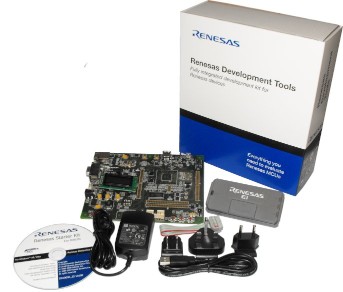
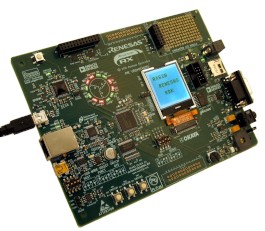
Renesas RX62N Starter Kit (RSK)
Note that compiler version 1.0.1.0 or higher is required.
Demo applications are also available for the IAR and GCC compilers.
Included in the demo is an example web server that is implemented using a modified version of Adam Dunkels open source uIP embedded TCP/IP stack. Code-named FreeTCPIP, the modifications allow for higher throughput than that achievable with the original code. The CGI scripting facility is used to display both RTOS and TCP/IP run time information. uIP is licensed separately from FreeRTOS. Users must familiarise themselves with the uIP licence, which is included at the top of each uIP source file.
See also the FAQ My application does not run, what could be wrong?
The HEW workspace for the RX63N RDK development board is also called RTOSDemo.hws and is located in the FreeRTOS/Demo/RX600_RX63N-RDK_Renesas directory.
The FreeRTOS zip file download contains the implementation of all the FreeRTOS ports and every demo application project. It therefore contains many more files than used by this demo. See the Source Code Organization section for a description of the downloaded files and information on creating a new project.
| Build configuration | Description |
| Blinky | This is a very simple example that just creates two tasks. The tasks communicate via a queue, with an LED being toggled upon each successful queue receive. The Blinky build configuration includes main-blinky.c, where as the other build configurations use main-full.c. |
| Debug | A very comprehensive demo that creates nearly 50 demo tasks before starting the RTOS scheduler, then continuously dynamically creates and deletes another two tasks as the application executes. The tasks consist mainly of the standard demo tasks - which don't perform any particular functionality other than testing the port (including interrupt nesting) and demonstrating how the FreeRTOS API can be used. Information on additional tasks that are created is provided immediately below this table. |
| Debug_with_optimisation | Adds a high frequency timer test to the tasks and tests executed by the Debug build configuration, plus tests that the tasks and tests execute correctly with the optimiser switched on. |
The Debug and Debug_with_optimisation build configurations create the following tasks and tests in addition to the standard demo tasks:
This only executes every five seconds but has the highest priority to ensure it gets processing time. Its main function is to check that all the standard demo tasks are still operational. The check function maintains a status string that can be viewed at the very bottom of the "Task Stats" page served by the integrated web server. It also toggles LED5 (RSK) or LED9 (RDK). If the check LED is toggling once every five seconds then all the demo tasks are executing without any errors having been reported. If the toggle frequency increases to once every 200ms then an error has been detected in at least one task.
Some of the tasks check to ensure their own execution timing remains within fixed limits, and with nearly 50 tasks executing these limits can sometimes be breached causing an error to be reported where none really exists. The timing constraints can be put under even more stress when the 20KHz interrupt is running too. Therefore an error being reported is not necessarily indicative of an error in the FreeRTOS port, but just a symptom of a task not getting the CPU time it requires to remain within its tight (self imposed) timing constraints.
This is the task that executes the TCP/IP stack. All network processing is performed in this task, making the TCP/IP Flash footprint extremely small when compared to other embedded TCP/IP stacks.
These two tasks fill the microcontroller registers with known values before checking that each register still contains its expected value. Each of the two tasks use different known values. The tasks run with very low priority so will get preempted very often. If a register ever contains an unexpected value then an error has occurred - probably in the context switching or interrupt mechanism. The reg test tasks write directly into specific registers, necessitates that they are written in assembly code.
This test configures a timer to generate an interrupt at 20KHz. The interrupt priority is above configMAX_SYSCALL_INTERRUPT_PRIORITY so should not be effected by anything else the RTOS kernel is doing. The jitter experienced in the interrupt timing is measured and displayed at the bottom of the "Run Time Stats" page served by the integrated web server.
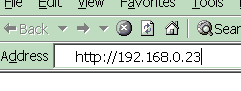
The IP addresses used by the web browser and the RX62N development board must be compatible. This can be ensured by making the first three octets of both IP addresses the same. For example, if the web browser computer uses IP address 192.168.0.1, then the RX62N development board can be given any address in the range 192.168.0.2 to 192.168.0.254, other than any addresses that already exist on the same network.
The MAC address assigned to the RX62N must be unique on the network to which it is being attached.
An executing demo application should behave as follows (LED numbers are correct for the RSK, numbers in brackets are correct for the RDK):
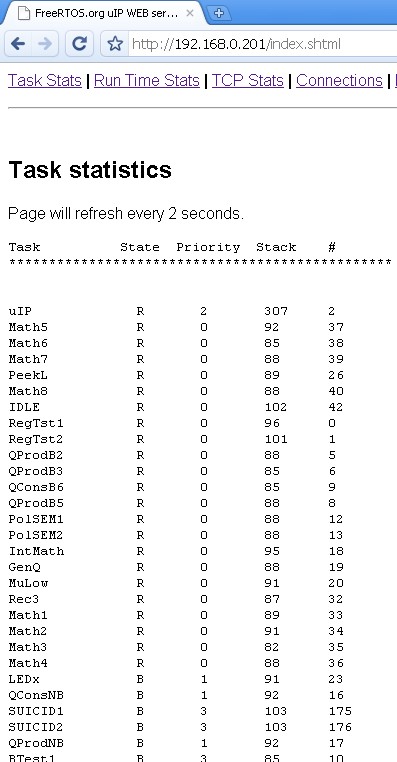
The RTOS stats page served by the RX62N web server
showing status information on each task in the system.
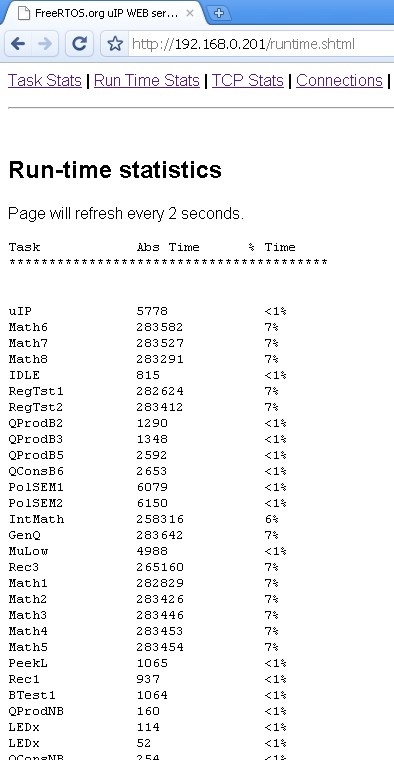
The run time stats page served by the RX62N web
server showing the processor utilisation of each task.
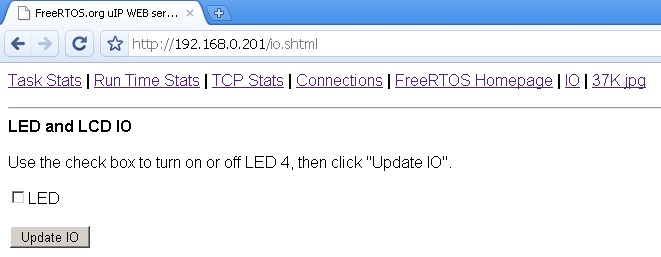
The served IO page
The IO page provides a simple interface to permit various LEDs to be turned on and off from a web browser. The LED number will be correct for the RSK only. Changes are sent to the target board whenever the "Update IO" button is clicked.
Other served pages include TCP/IP statistics and a large JPG image. All the web pages are included in the downloaded binary image - which can make the binary image appear to be quite large (the jpg file by itself is in excess of 36K).
This sets the frequency of the RTOS tick. The supplied value of 1000Hz is useful for testing the RTOS kernel functionality but is faster than most applications need. Lowering this frequency will improve efficiency.
This defines the interrupt priority used by the RTOS kernel for the timer and software interrupts. This should always be set to the lowest interrupt priority, which for the RX62N is 1. See the configuration pages for more information.
This defines the maximum interrupt priority from which FreeRTOS API functions can be called. Interrupts at or below this priority can call FreeRTOS API functions provided that the API function ends in 'FromISR'. Interrupts above this priority cannot call any FreeRTOS API functions but will not be effected by anything the RTOS kernel is doing. This makes them suitable for functionality that requires very high temporal accuracy. The high frequency timer test included in this demo application uses a priority that is above configMAX_SYSCALL_INTERRUPT_PRIORITY. See the configuration pages for more information.
/* The 'enable' in the following line causes the compiler to generate code that
re-enables interrupts on function entry.  This will allow interrupts to nest
(although in this case the high frequency timer interrupt is the highest priority
interrupt in the demo). */
#pragma interrupt ( prvTimer2IntHandler( vect = _VECT( _CMT2_CMI2 ), enable ) )
static void prvTimer2IntHandler( void )
{
    /* ISR implementation goes here. */
}
See the examples provided by Renesas and the compiler
documentation for full details.
Often an ISR wants to cause a context switch so the task that is returned to when the ISR completes is different to the task that the ISR interrupted. This would be the case if the ISR caused a task to unblock, and the unblocked task had a priority above that of the task that was already in the Running state. This can be achieved by calling portYIELD_FROM_ISR(), which takes a single parameter. The parameter should be 0 if a context switch is not required, or non-zero if a context switch is required. This is demonstrated in the code below - which is a handler for a cascaded 8 bit timer 0 and timer 1 compare match interrupt.
/* The 'enable' in the following line causes the compiler to generate code that
re-enables interrupts on function entry.  This will allow interrupts to nest. */
#pragma interrupt ( vT0_1InterruptHandler( vect = VECT_TMR0_CMIA0, enable ) )
void vT0_1InterruptHandler( void )
{
long lHigherPriorityTaskWoken;

    /* xFirstTimerHandler() returns true or false, depending on whether the
    function unblocked a task that has equal or higher priority than the task
    that is already in the running state. */
    lHigherPriorityTaskWoken = xFirstTimerHandler();
    portYIELD_FROM_ISR( lHigherPriorityTaskWoken );
}
The application must define a function called vApplicationSetupTimerInterrupt() to configure the tick interrupt, then define configTICK_VECTOR to inform the RTOS kernel of the interrupt vector number of the chosen timer.
It is suggested that a compare match timer is used to generate the tick interrupt, and an example implementation of vApplicationSetupTimerInterrupt() that uses compare match timer 0 is included in both main-full.c and main-blinky.c within this demo application. The demo application defines configTICK_VECTOR within FreeRTOSConfig.h to be _CMT0_CMI0 (the compare match 0 interrupt vector number). It is suggested that the provided example implementations are used in most cases.