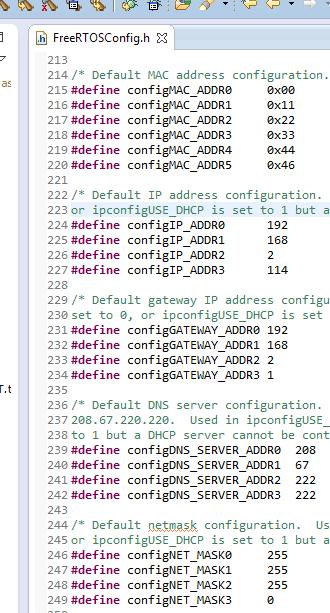
Network address settings in FreeRTOSConfig.h
[Buildable TCP/IP and FAT FS Examples]
 Don't have any hardware? You can still try the RTOS TCP and FAT examples
now by using the
Win32 demo, which uses free tools, and runs in a Windows environment.
Don't have any hardware? You can still try the RTOS TCP and FAT examples
now by using the
Win32 demo, which uses free tools, and runs in a Windows environment.
Note 1: In order to demonstrate FreeRTOS+TCP and FreeRTOS+FAT being used in a RAM constrained system the project described on this page only uses the STM32's 192K bytes of internal RAM. The external RAM on the STM3240G-EVAL development board is not used.
Note 2: The demo presented on this page can be built using the free Lite version of Atollic's TrueStudio IDE, as even the free version does not have a code size limit.
The ST STM32F407 ARM Cortex-M4 TCP/IP and FAT demo includes the following standard examples:
FreeRTOS+FAT is used to mount a FAT formatted SD card. The mounted file system then serves the files for both the HTTP and FTP server examples.
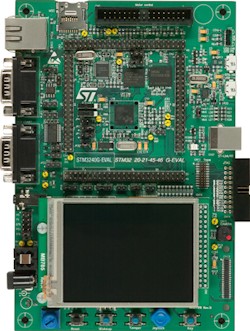
The project builds using the free Lite edition of the Atollic TrueStudio GCC based development tools (which don't have a code size limit), and targets the ST STM3240G-EVAL evaluation board.
If a DHCP server is in use, then set ipconfigUSE_DHCP to 1 in FreeRTOSIPConfig.h, and no further IP related network address configuration is necessary. If a hostname is provided for the STM32 target then it is not necessary to know the IP address assigned to the STM32 by the DHCP server, because the STM32 can be located using the assigned name. The IP address can however be viewed, as it is printed out using the UDP logging facility.
If a DHCP server is not in use then set ipconfigUSE_DHCP to 0 in FreeRTOSIPConfig.h, and configure a static IP address and netmask using the configIP_ADDR0/3 and configNET_MASK0/3 constants located in FreeRTOSConfig.h. Note the IP address constants are in FreeRTOSConfig.h, rather than FreeRTOSIPConfig.h, because they are related to the application, and not the TCP/IP stack directly.
It is necessary to ensure any manually configured IP address is compatible with the netmask used by the network to which the STM32 is being connected. In most cases a compatible IP address will be one that uses the same first three octets as the host computer. For example, if the IP address of the host computer is 172.25.218.100, then any 172.25.218.nnn address, other than where nnn is 0, 255, or already present on the network, is valid.
It is also necessary to set a gateway address that is correct for the network to which the STM32 is being connected, or at least compatible with the configured netmask if no gateway exists. This step is necessary to prevent an internal sanity check triggering a configASSERT() failure due to a mismatched gateway address and netmask. The gateway address is set using the configGATEWAY_ADDR0/3 constants in FreeRTOSConfig.h.
If multiple embedded targets that are running FreeRTOS+TCP examples are connected to the same network then it will be necessary to ensure the MAC address assigned to each embedded target is unique.
The MAC address is set using the configMAC_ADDR0/5 constants in FreeRTOSConfig.h.
If only one embedded target that is running a FreeRTOS+TCP example is connected to the network then it will not be necessary to modify the default hostname, which is "RTOSDemo". If multiple embedded targets that are running FreeRTOS+TCP examples are connected to the same network then it will be necessary to ensure the hostname assigned to each embedded target is unique.
The hostname is set by the mainHOST_NAME constant, which is located near the top of the main.c source file. Depending on the network topology, it may also be possible to use a second hostname set by the mainDEVICE_NICK_NAME constant, which is also defined at the top of main.c.
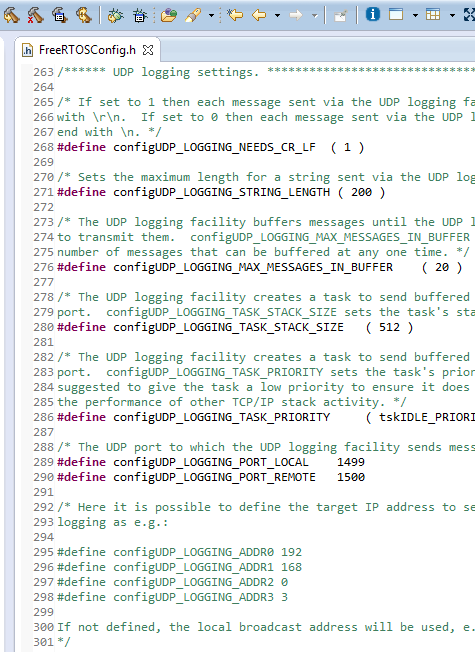
Log messages are buffered for transmission by a low priority background RTOS task.
Log output can be viewed in many different terminal programs, including UDPTerm, from Cinetix.
Note: If an SD card is not being used then do not include the HTTP or FTP server examples.
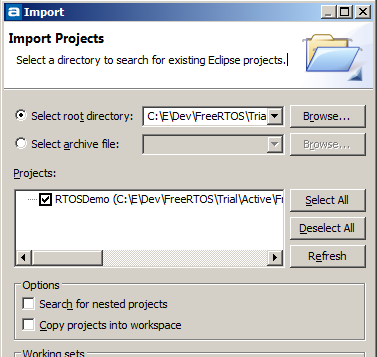
Green LED 1 will toggle when the application is executing. The LED is toggled from the Idle task, so the toggle rate will not necessarily be constant.
To ping the device, open a command prompt and type "ping
If a ping reply is not received then turn DHCP off, assign the target a
static IP address, and try again using the assigned IP address in place of the host
name.
Instructions describing how to set a static IP address, and how to set
a hostname, are provided in the setup instructions on this page.
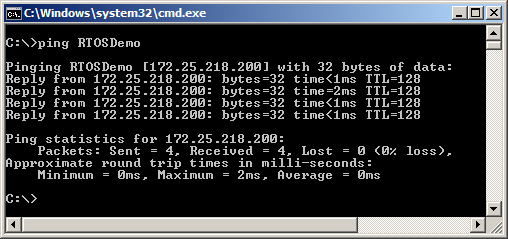
Pinging the target, and receiving ping responses
Included Examples
The project includes the following examples: